
Test management that lives inside Jira
Test cases, sets and executions are real Jira issues with real workflows, links and JQL. Plan, run, report and bring in CI results without leaving Jira. Pro adds AI that drafts tests from your requirements, and your team approves every one.
Coming soon to the Atlassian Marketplace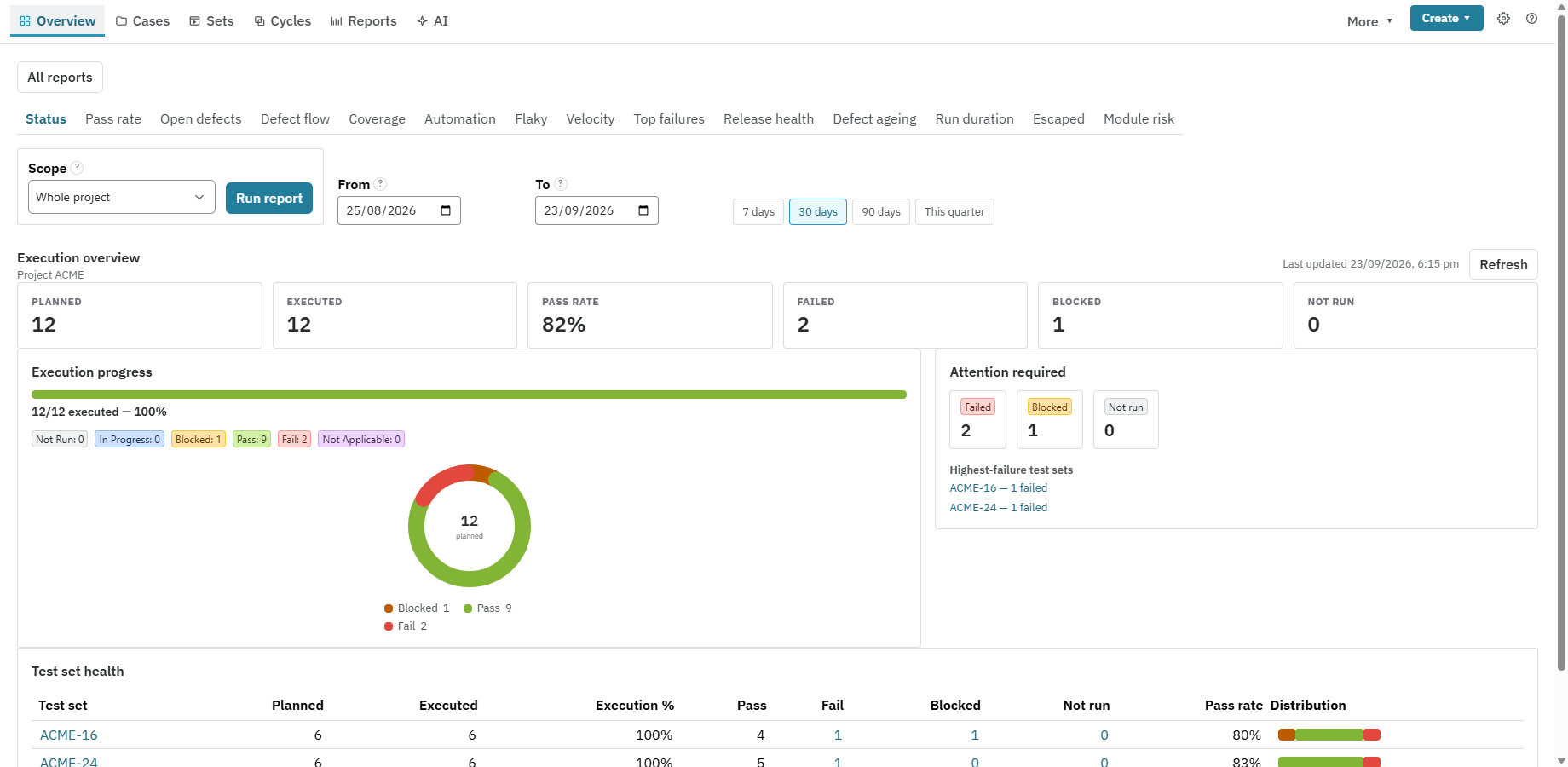
Real Jira issues, not a separate tool
Nexus adds Test Case, Test Set and Test Execution issue types to your projects. Search them with JQL, put them on boards and dashboards, automate them with Jira Automation, and control them with the permissions you already have.
- Step, BDD, free-text and checklist tests, with shared steps and versions
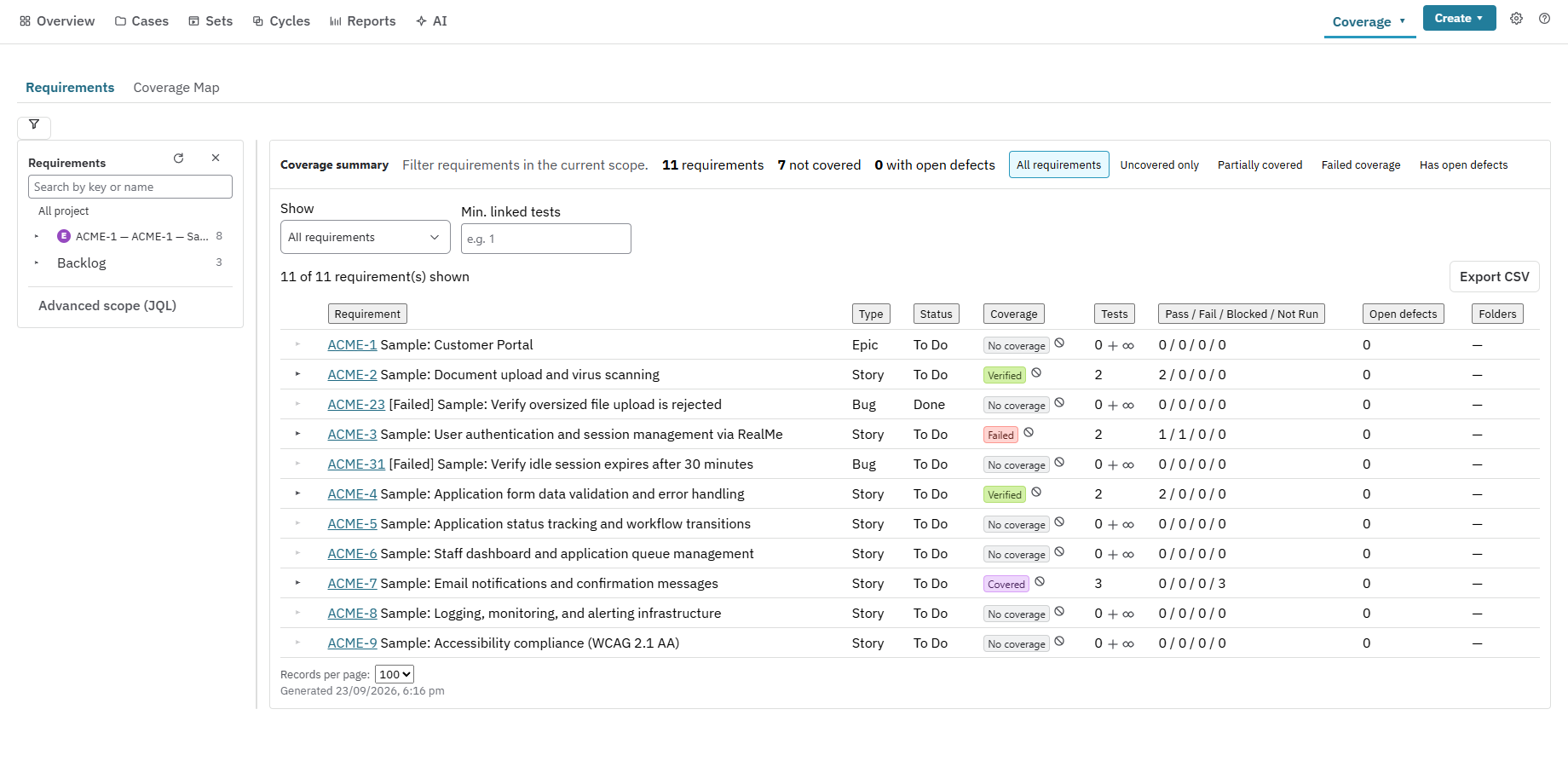
- Run tests step by step; a failed run creates and links the defect
- Company-managed and team-managed projects, with guided setup
AI drafts the tests. Your team approves them. Pro
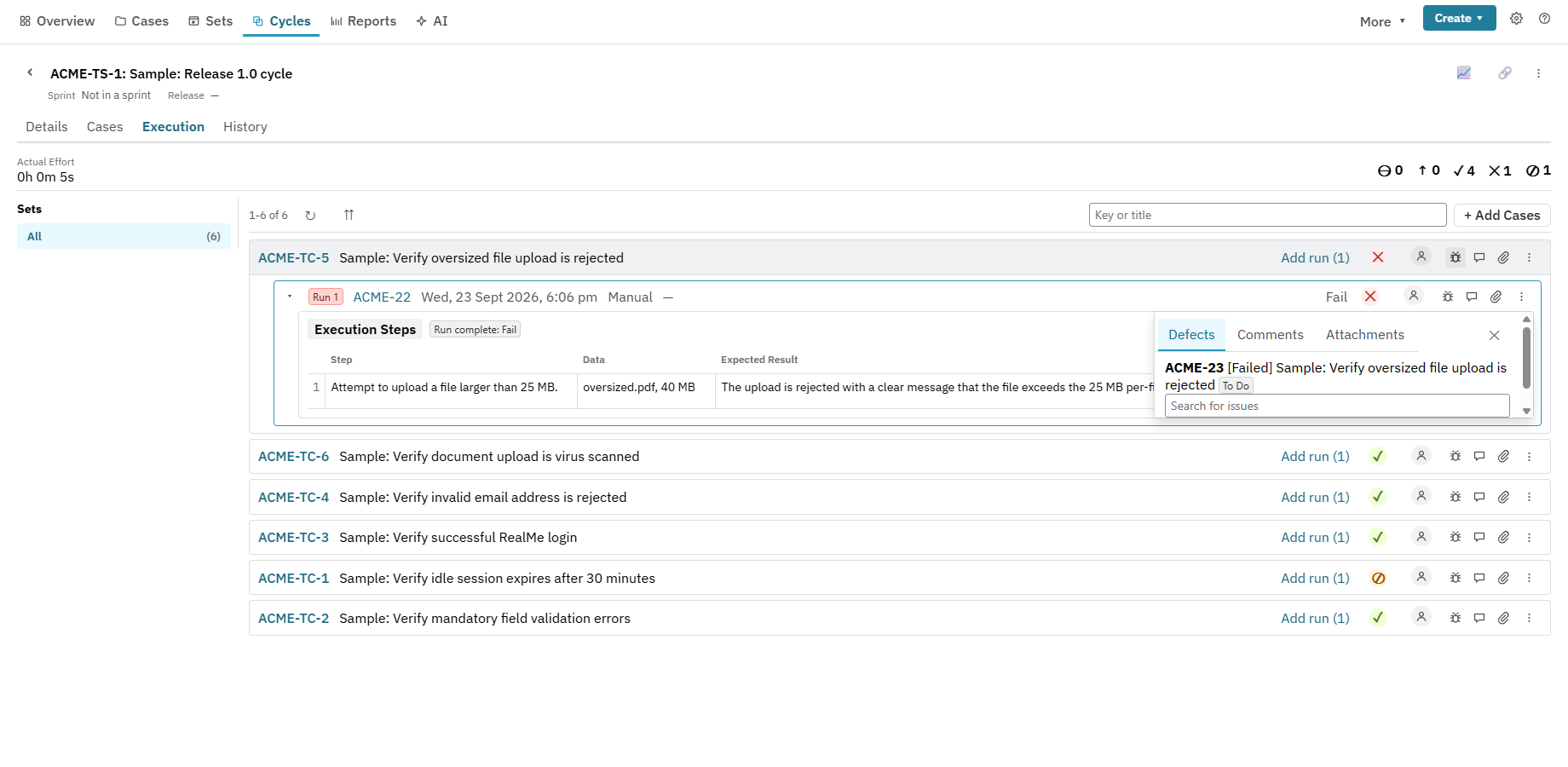
Nexus Pro checks requirements for ambiguity, gaps and missing acceptance criteria, then drafts test cases from them. Drafts stay in Nexus until someone accepts, edits or dismisses each one.
- Runs on your own Anthropic, OpenAI or Google account
- Nexus never bills you for AI tokens
- Nothing reaches Jira until a person accepts it
Coverage and quality you can prove
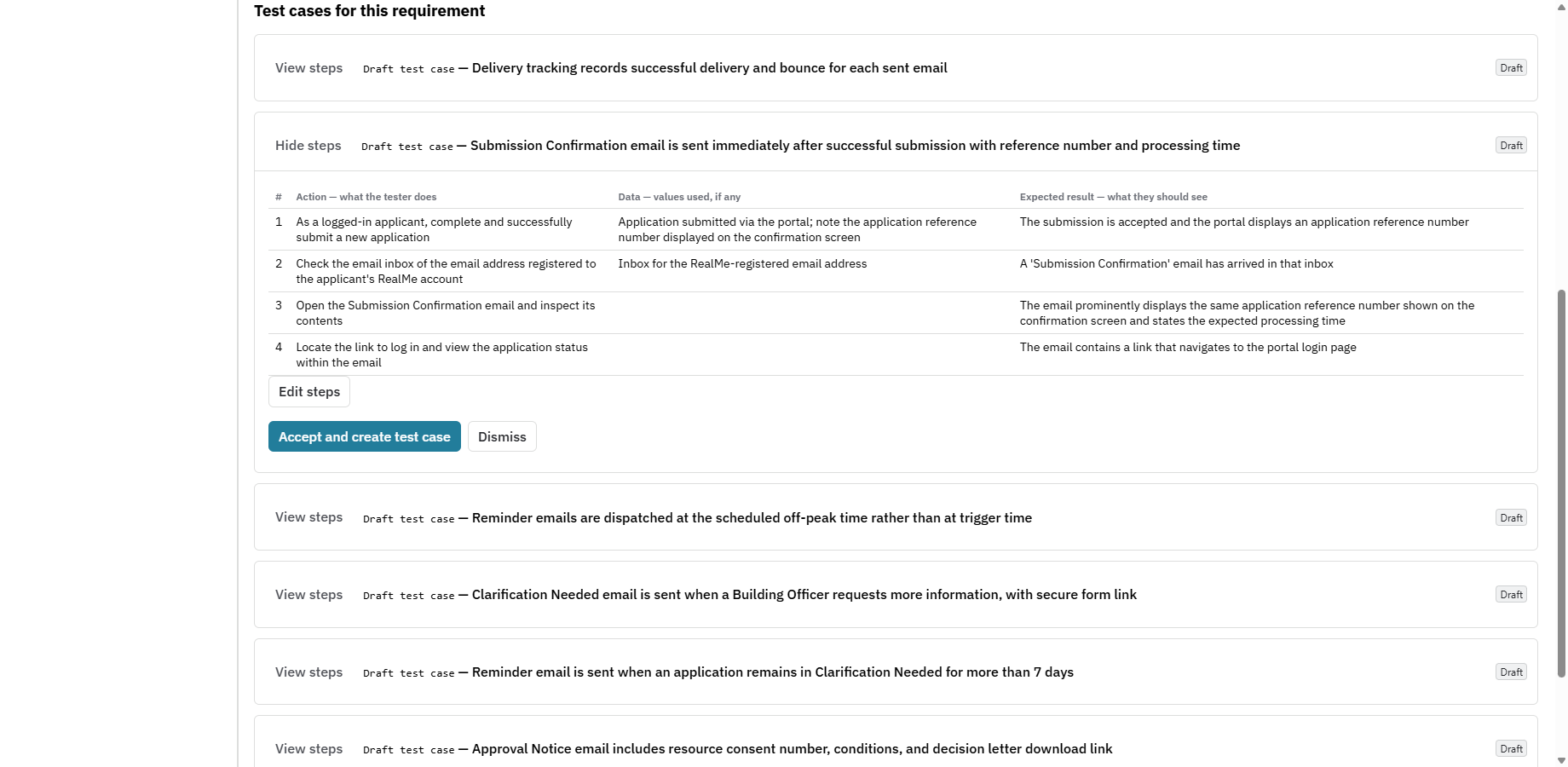
See which requirements are covered, partly covered or untested, and trace each one to its tests, runs and defects. Bring in automated results from your CI and report on manual and automated testing together.
- 15+ reports, dashboard gadgets and scheduled digests
- CI results from JUnit, Cucumber, Playwright, Mocha and xUnit
- A pass counts only for the build it ran on; newer deploys mark it stale
Everything a test team needs, in one Jira app
Nexus is built for teams that want their testing where their work already is, with no second tool to log in to and every test stored in Jira itself.
Plan
Folders, reusable test sets and cycles, execution order, and a daily pace line against your sprint or release date.
Run
A manual runner with evidence and timers, data-driven runs from test data sets, and exploratory sessions.
Automate
Send results from any CI with one API key and one URL. Nexus matches them to test cases by Automation Key.
Track environments
See what is deployed where, which results are current for each environment, and whether a release is ready.
Report
Traceability, cycle, defect, flaky-test and coverage reports, with CSV, Excel and Confluence export.
Move in, move out
Guided import from Xray, Zephyr Scale and TestRail, and full CSV, JSON and .feature export at any time.
Basic or Pro?
Basic is the complete test management product. Pro adds AI, on your own AI account. Both editions are free for up to 10 users.
| Feature | Basic | Pro |
|---|---|---|
| Test Case, Test Set and Test Execution issue types, workflows and step editor | ||
| Cycles, manual runner, exploratory sessions, test data, environments and releases | ||
| CI results ingestion and CI API | ||
| Reports, dashboard gadgets, JQL functions, scheduled digests, Confluence and Excel export | ||
| Model-based testing, governance rules, impact scoring and Quality Score | ||
| AI requirement analysis: ambiguity, gaps, contradictions, acceptance criteria | — | |
| AI test generation, including data-driven and technique-based drafts | — | |
| Cross-project duplicate-requirement detection | — |
Prices will be published with the Atlassian Marketplace listing.
Where your data goes
- Built on Atlassian Forge
- Nexus runs on Atlassian's own platform. Resync operates no servers of its own, and your test data is stored in Jira and Forge storage.
- Basic sends nothing outside Atlassian
- Without AI, no content leaves Atlassian.
- Pro uses the AI account you connect
- When someone runs an AI action, the requirement content that action needs goes to the one AI provider your Jira admin connected, under your own account and terms.
Want to try Nexus first?
We're preparing the Marketplace listing now. Get in touch for early access or a walkthrough on your own Jira site.
Contact Resync